
Cybersecurity Awareness Month: The Scams We're Actually Seeing in Marlboro
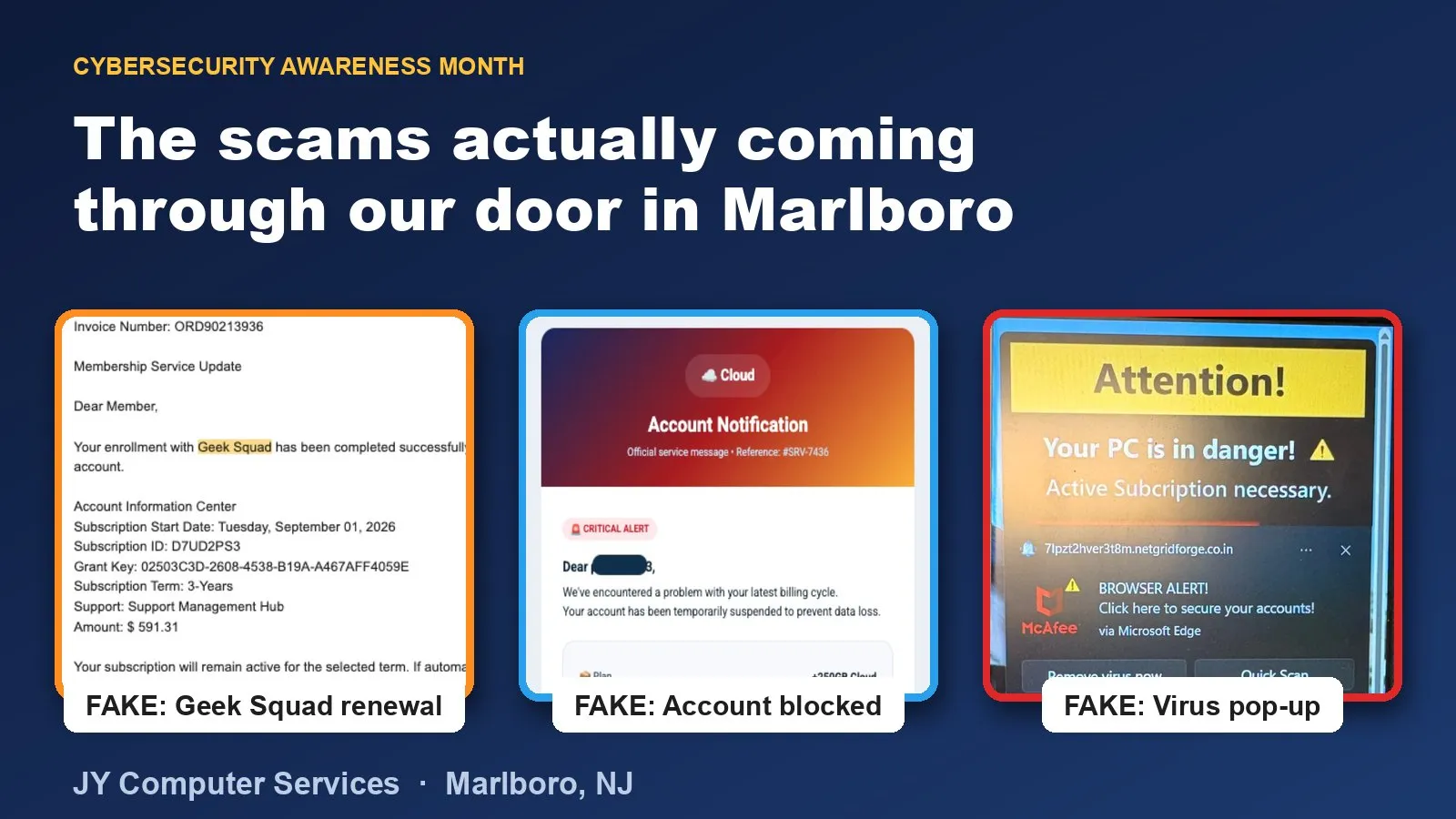
October is Cybersecurity Awareness Month, which usually means generic advice about “strong passwords” and “not clicking suspicious links.” We’re going to skip that and just show you what’s actually been coming through our door in Marlboro over the last few months — because the specific, real thing is a lot more useful than the general warning.
Three patterns, one playbook
We’ve written up three of these in detail already, each with the real screenshots people brought in:
- The fake Geek Squad renewal email — a “receipt” for a subscription you never bought, with a phone number to call and “dispute” it.
- “We’ve blocked your account” — a fake payment-failed or account-locked email pushing you to “update” your billing info immediately.
- The “Virus Found — Call Now” pop-up — a browser pop-up dressed up as a system alert, telling you to call a number before your computer is “compromised further.”
Two more have come in since:
- Fake McAfee pop-ups on Windows — browser notifications dressed up as antivirus alerts, with real unwanted programs installed alongside them.
- The “MyChart Medicare Kit” email — a free-kit survey sent from a Gmail address, aimed at older adults.
Different disguises, same three moves every time: manufacture urgency, impersonate someone you trust (a store, a bank, Microsoft/Apple), and give you a number to call or a link to click instead of a way to verify it yourself. Once you can see that structure, the specific brand being impersonated stops mattering — you’re reacting to the pattern, not the logo.
The thirty-second habit that stops almost all of it
Every one of these scams falls apart the moment you verify somewhere other than the message itself:
- Don’t call the number in the email or pop-up. If you’re worried there’s a real charge or a real problem, open a browser yourself, type the company’s actual website address, and log in there — or check your bank statement directly.
- Don’t click “Yes,” “No,” or anything else on a scare pop-up. Close
the browser entirely (
Ctrl+Shift+Escon Windows,Option+Command+Escon Mac) instead of clicking a button on the pop-up itself. - If a message is generic — “Dear Customer,” “Dear Member” — be more suspicious, not less. Companies you actually have accounts with use your real name.
- When in doubt, forward it to us or bring the device in. Checking whether something is a scam is free. We’d rather look at ten fake ones than have you be the eleventh person who called the number.
Awareness Month is really about one thing: slowing down
None of the scams above need you to be careless with passwords or behind on updates. They need you to act in the fifteen seconds after you read something alarming. That’s the entire attack. Cybersecurity Awareness Month is a good excuse to actually say this out loud to the people around you — the family member who forwards you screenshots, the employee who opens the shared inbox, the relative who’s less comfortable double-checking things online. Send them this post.
And if you’re not sure whether something you’re looking at right now is real or not, that’s exactly what we’re here for — bring it by, or start with our virus and malware removal page if you think something already got installed.
Frequently asked questions
Why do these scams work on smart, careful people?
Because they're not designed to beat your intelligence — they're designed to beat your patience. Every one of them creates urgency ("call now," "your account is blocked," "unauthorized download detected") so you act before you think. Slowing down for thirty seconds is the actual defense, not being harder to fool.
Should I be worried specifically because I live in Marlboro?
No — these scams aren't targeted at Marlboro specifically, they're mass-sent to millions of inboxes and screens. What we're describing is just what's actually landing in local inboxes, based on what people are bringing into our shop. The same patterns are hitting every town.
What's the single best thing I can do this month?
Pick one habit and stick to it: never act on urgency inside an email, pop-up, or phone call. If something says your account is blocked, a payment failed, or a subscription renewed, close it and go check directly — by typing the company's real website into your browser yourself, or logging into the app you already have installed.
Do I need to buy antivirus software to be protected?
It helps, but it's not the main defense against these particular scams — none of the three below require malware to work. They rely on you clicking, calling, or typing something in voluntarily. A password manager and the "verify independently, never through the message" habit stop more of these than antivirus software does.
What should I do if I think I already fell for one?
Don't be embarrassed — tell us anyway. Bring the device in or call the shop. If you gave a card number, call your bank or card issuer immediately. If you gave someone remote access to your computer, disconnect it from the internet and don't use it for banking or email until it's been checked.